
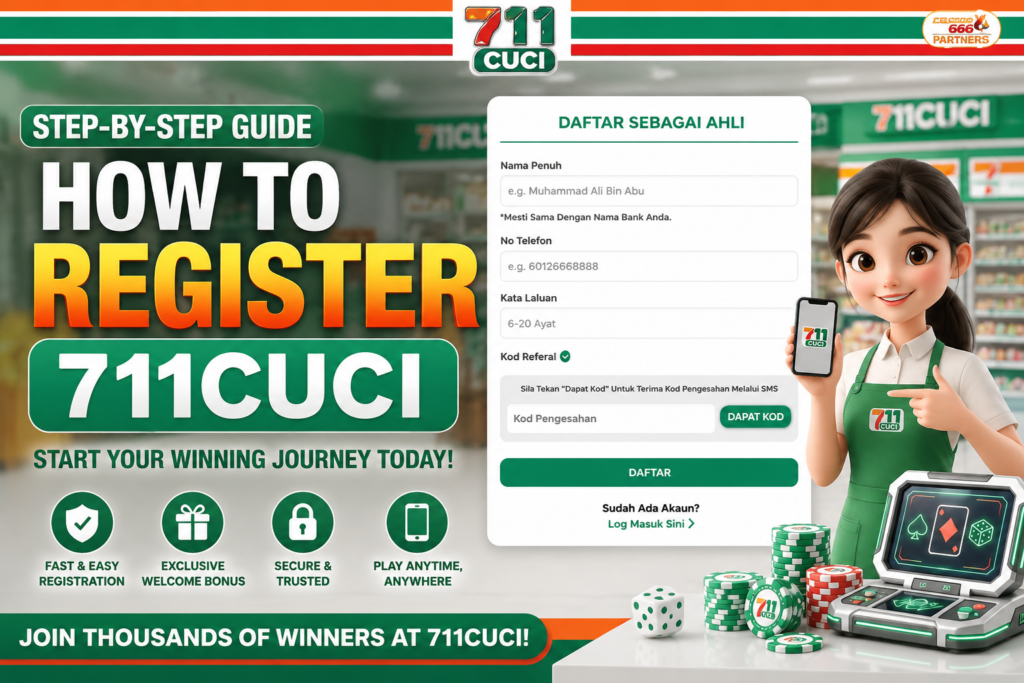
Getting started with 711cuci begins with creating an account. Our registration process is designed to be straightforward, with only a few details required before you can complete your sign-up.
If you are new to 711cuci, this guide explains the full registration process, from entering your personal information to receiving your SMS verification code and submitting the registration form.
Before starting your 711cuci registration, prepare the basic information required by the registration form.
You will need:
Make sure that the information you provide is accurate. In particular, your full name should follow the instructions shown on the registration form.
Creating a new account only requires a few steps. Follow the instructions below to complete your 711cuci register process.
Visit the official 711cuci website and select the Register button.
You will then see the registration form with the information required to create your account.
Take a moment to check that you are entering your details on the correct 711cuci website before continuing.
The first field is Nama Penuh, which means full name.
Enter your complete name carefully.
The registration form states that the name entered should match the name associated with your bank account. For this reason, avoid using nicknames, shortened names or different spellings.
Checking this information before registration can help prevent problems later when using account-related services.
Next, complete the No Telefon field with your active mobile number.
Your mobile number is an important part of the 711cuci registration process because it is used to receive your SMS verification code.
Make sure:
Double-check the digits before proceeding to the next step.
Under Kata Laluan, create the password you want to use for your account.
Choose a password that is easy for you to remember but difficult for someone else to guess.
Avoid passwords based on simple personal information such as your name, phone number or birthday. It is also better to avoid reusing the same password that you use for your email, banking or social media accounts.
Keep your 711cuci login information private and never share your password with another person.
You will also see a Kod Referal section on the registration form.
If you received a valid referral code, enter it in the appropriate field during registration.
Always check the current information shown during sign-up before entering any referral details.
The next step is to verify your mobile number.
Select DAPAT KOD to request your verification code.
A code will be sent by SMS to the mobile number you entered earlier.
When the message arrives, enter the code into the Kod Pengesahan field.
Make sure that the verification code is entered exactly as shown in the SMS.
Sometimes an SMS may take a little longer to arrive.
If you do not receive your 711cuci verification code, first check the phone number entered on the registration form.
You should also confirm that your phone:
Wait briefly before requesting another code if necessary.
Avoid sharing verification codes with anyone, as these codes are intended only for completing your own account verification.
Before selecting the registration button, review everything you have entered.
Check your:
Taking a few seconds to review your information can help you avoid having to correct details later.
Pay particular attention to your name and mobile number because these are important account details.
Once all the required information is complete and correct, select the green DAFTAR button.
Your registration information will then be submitted.
After your 711cuci account has been successfully created, you can proceed to the login section and access your account using your registered information.
Once you have completed the 711cuci register process, returning to your account is simple.
Select Login or Log Masuk Sini and enter your registered account details.
Always check your information carefully before attempting to log in.
If you are using a shared or public device, remember to log out when you have finished using your account.
Most registration issues can be avoided by carefully checking the information entered into the form.
If the mobile number contains an incorrect digit, you may not receive your SMS verification code.
Review the number before requesting the code.
Make sure you enter the latest verification code sent to your mobile number.
Entering an incorrect or expired code may prevent the registration from being completed.
The registration form indicates that your full name should match your bank account name.
Enter your name accurately rather than using a nickname or shortened version.
If the DAFTAR button does not complete your registration, check whether all required fields have been filled in correctly.
Missing information or an incorrect verification code may prevent the form from being submitted successfully.
A few simple checks can make the process easier.
Always use your own active mobile number and enter accurate personal information. Create a strong password and keep it private.
You should also avoid registering through unknown links sent through messages or social media. Access 711cuci through the official website and check the registration information displayed there.
After creating your account, keep your account details and verification codes private.
Correct information helps keep your 711cuci account consistent from the beginning.
Entering the correct name and mobile number also reduces the chance of unnecessary problems when you need to access your account later.
For this reason, we recommend checking every field carefully before selecting DAFTAR.